
Port
The Port integration keeps Port’s software catalog in sync with your StratoNext organization, and lets Port workflows put StratoNext agents to work.
- Export: every workspace that enabled the integration, and per workspace its environments, agents, projects, tasks, scheduled jobs and reports, kept up to date in Port on a schedule.
- Dispatch: a self-service form in Port creates, dispatches or cancels a StratoNext task, so a button in Port turns into an agent doing real work.
The integration is a small container you run yourself, built on Port’s open-source Ocean framework. Source, container build and the ready-made Port workflows are in the public stratonext/app-integration-port repository.
Before you start
Section titled “Before you start”- Admin access to your Port organization.
- A StratoNext organization admin, to enable Port and copy the credential the integration signs in with.
- Somewhere to run a container: a laptop for a first look, a long-running service for real use.
1. Register the connector in Port
Section titled “1. Register the connector in Port”- In Port, go to Context Lake > Connectors > New connectors and pick Custom Ocean integration.
- Choose the Self-hosted install. Port shows a
docker runorhelmcommand with your organization’s credentials filled in. Copy three values out of it, nothing else:- the client ID
- the client secret
- the API base URL:
https://api.port.iofor EU,https://api.us.port.iofor US
That is all Port needs for the export. The blueprints and the data mapping are created by the container the first time it runs.
2. Enable Port in StratoNext
Section titled “2. Enable Port in StratoNext”Port is enabled once for the organization and switched on per workspace, like every integration. The container syncs exactly the workspaces where Port is switched on.
- An organization admin opens Admin > Apps and switches Port on. The first enable
generates Port’s credential and shows it once: a client ID and a client secret. Copy both
into the container’s
.envbefore closing the dialog. A lost secret cannot be recovered, only rotated from the same page. - A workspace admin switches Port on under the workspace’s Settings > Apps.
Nothing is visible to Port until at least one workspace has it on. A workspace switched on later is picked up on the next sync, or when the container restarts. Switching Port off in a workspace removes that workspace’s entities from Port on the next sync. Switching it off for the organization stops the integration everywhere.
Inside an enabled workspace, Port can list and read environments, agents, projects, tasks, jobs and reports, and create, dispatch and cancel tasks. It cannot touch approvals, members, agents or anything in a workspace where it is not enabled.
3. Run the container
Section titled “3. Run the container”Clone the repository, create the environment file, and start it with Docker.
git clone https://github.com/stratonext/app-integration-portcd app-integration-portcp .env.example .env # fill it in, see belowdocker compose up --buildThe container listens on port 8000, syncs the catalog on a schedule, and serves the dispatch
endpoints. For the export alone it only needs outbound access to Port and StratoNext.
What goes in .env:
# Port, from step 1. Base URL is https://api.port.io (EU) or https://api.us.port.io (US).OCEAN__PORT__CLIENT_ID=OCEAN__PORT__CLIENT_SECRET=OCEAN__PORT__BASE_URL=https://api.port.io
# Name of the connector in Port. Leave it.OCEAN__INTEGRATION__IDENTIFIER=stratonext
# StratoNext API, and the Port credential from step 2.OCEAN__INTEGRATION__CONFIG__STRATONEXT_API_URL=https://api.prod.stratonext.com/v1/graphqlOCEAN__INTEGRATION__CONFIG__STRATONEXT_AUTH_TOKEN_URL=https://api.prod.stratonext.com/oauth2/agent-tokenOCEAN__INTEGRATION__CONFIG__STRATONEXT_AUTH_CLIENT_ID=OCEAN__INTEGRATION__CONFIG__STRATONEXT_AUTH_CLIENT_SECRET=
# A secret you choose yourself, for example `openssl rand -hex 32`. Only needed for# dispatch (step 5). Unset, every dispatch request is refused.OCEAN__INTEGRATION__CONFIG__PORT_WEBHOOK_SECRET=
# Minutes between full catalog syncs.OCEAN__SCHEDULED_RESYNC_INTERVAL=60
4. Check it worked
Section titled “4. Check it worked”- Context Lake > Connectors in Port lists
stratonextwith its sync status and event log. The first sync runs at startup. - The Catalog shows the blueprints below, with one workspace entity per enabled workspace. An empty catalog with a healthy connector means no workspace has enabled Port yet: the container log says so at startup.
- The data mapping is editable on the connector’s page in Port. Port owns it from then on.
| Blueprint | Relations | What it is |
|---|---|---|
stratonextWorkspace |
none | A workspace in the organization. Everything below belongs to one. |
stratonextEnvironment |
workspace | A cloud account and region an agent can operate in |
stratonextAgent |
workspace, environment | An agent registered in the workspace |
stratonextProject |
workspace | A unit of work agents and humans collaborate on |
stratonextTask |
workspace, project, agent | A unit of work assigned to an agent or a human |
stratonextScheduledJob |
workspace, project, agent | A recurring task an agent runs on a cron schedule |
stratonextReport |
workspace, projects | An incident, investigation or write-up against one or more projects |
Tasks dispatched from Port appear in the catalog on the next sync.
5. Dispatch tasks from Port (optional)
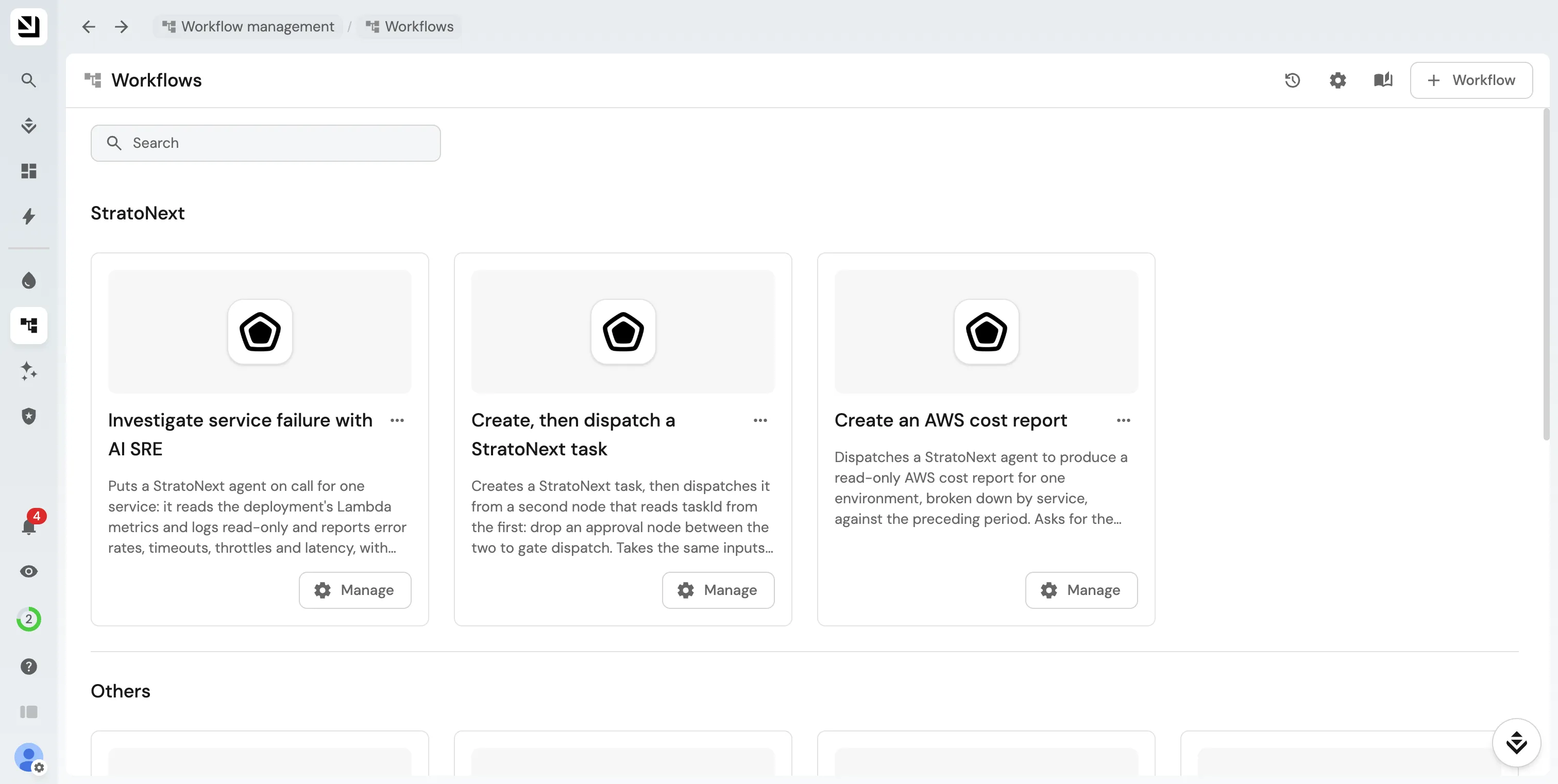
Section titled “5. Dispatch tasks from Port (optional)”The repository ships three ready-made Port workflows: create a task then dispatch it (with room for an approval node in between), cancel a task, and a read-only AWS cost report for one environment. They are not imported automatically.
- Pick a secret, any long random string, and set it as
OCEAN__INTEGRATION__CONFIG__PORT_WEBHOOK_SECRETin.env. Port sends it back on every dispatch call so the container can tell your workflows from anyone else on the internet. - In Port, under Settings > Secrets, add two secrets:
STRATONEXT_INTEGRATION_URL: the container’s public base URL, no trailing slashSTRATONEXT_WEBHOOK_SECRET: the exact same value you put in.env
- Import the workflows from
port-workflows.jsonin the repository: paste each one into Port’s workflow JSON editor, or POST it to Port’s/v1/workflowsAPI.
After the first sync, the project, agent and environment inputs on the forms become dropdowns of real StratoNext resources. Dispatches are fire-and-forget: the workflow completes as soon as StratoNext accepts the task. Follow progress on the task in StratoNext or, after the next sync, in Port.
Going live
Section titled “Going live”A laptop is fine for the first sync. For real use:
- Host the container as a long-running service, one replica, with the same
.envvalues as secrets and port8000exposed. Keep the identifier atstratonext, so a redeploy picks up the existing connector, mapping and blueprints. - Give it a public HTTPS address if you use the dispatch workflows. Port calls the container
for every dispatch, so put it behind your usual ingress and set that URL as
STRATONEXT_INTEGRATION_URLin Port. The export itself never needs inbound access. - Set the webhook secret before exposing it. Without it every dispatch request is refused, which is the safe default, but also means the forms do nothing.